
Design Fixtures in Minutes, Not Hours
fixturemate is now integrated with GrabCAD Print™ Pro
Automated Fixture Design for Manufacturing Operations
Fixturemate by Trinckle +
Design without CAD complexity
Fixture design in CAD software is time consuming – even for experienced engineers.
fixturemate is intuitive web-based software that allows anyone
to design fixtures fast, whether you're familiar with CAD or not.
Technical Integration & Workflow Simple 4-Step Process:
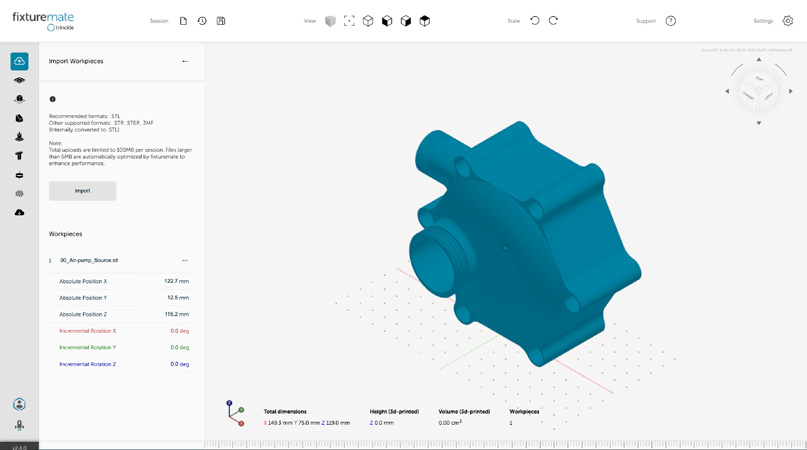
Import Workpiece
Use existing CAD files or scan data
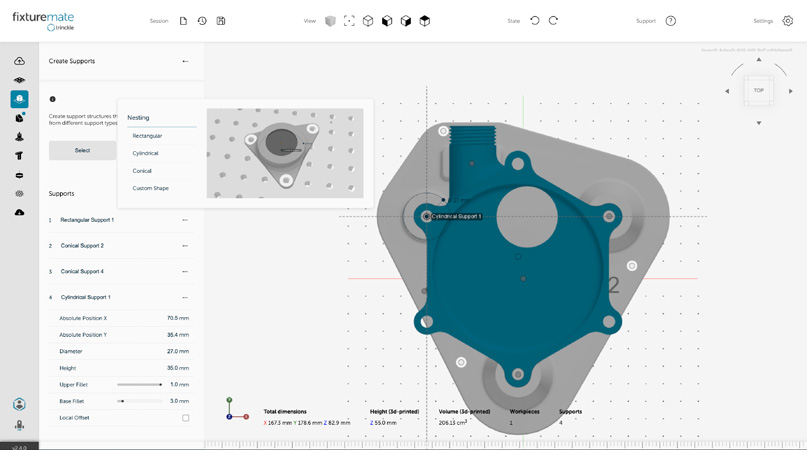
Generate Support
Automatic intelligent support structures
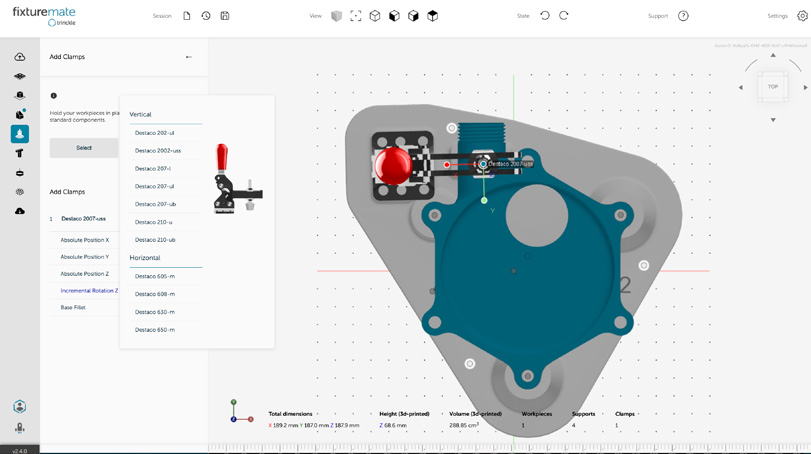
Configure Clamps
Select from built-in hardware library
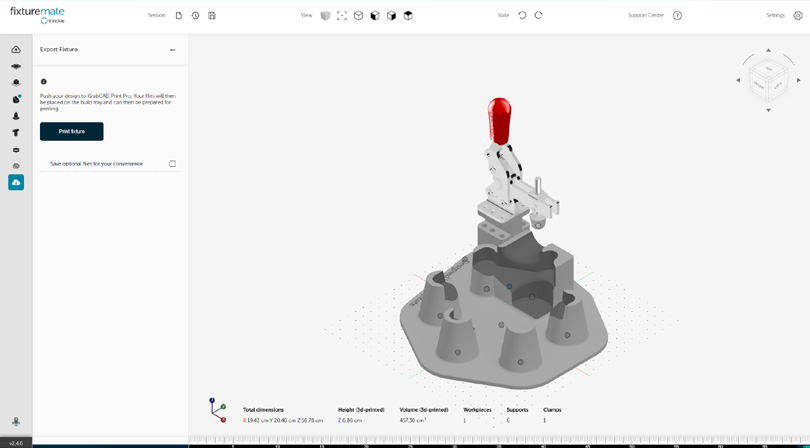
Export & Print
Direct integration to GrabCAD Print Pro workflow
Discover other enhanced features of GrabCAD Print Pro
Manufacturing Templates
Streamline Your Processes with Reusable Templates
Save valuable time and ensure consistent results by creating reusable templates for your manufacturing processes. With Manufacturing Templates, less experienced users can easily access and apply proven workflows, reducing errors and increasing efficiency across your organization.
3D Arrays
Maximize Build Volume Utilization
Optimize your build volume usage with GrabCAD Print Pro's 3D Array feature. Easily stack parts in the Z-axis, creating assemblies that calculate supports correctly. Fill your trays using rectilinear patterns, ensuring maximum efficiency and cost-effectiveness for your prints.
Assemble/Dissolve
Seamlessly Nest Parts for Optimal Space Usage
Effortlessly nest parts within the boundaries of other parts when space allows, creating relationships that ensure proper proximity. GrabCAD Print Pro's Assemble/Dissolve feature enables you to visually confirm the absence of interference, while considering virtual bodies such as supports, base, and stabilizers for optimal nesting results.
.
Accuracy Center
Achieve Unparalleled Accuracy and Precision
Reduce iteration cycles and achieve parts that meet your exact form, fit, and function requirements with Accuracy Center. By comparing scans of printed parts to their designed counterparts, Accuracy Center scores the results and adjusts the design as necessary, ensuring you achieve the highest level of accuracy in fewer iterations.
.
Thickness and Gap Analysis
Identify and Resolve Design Issues with Ease
Detect and address design issues early in the process with GrabCAD Print Pro's enhanced Thickness and Gap Analysis tool. Easily identify gaps and pockets in your models that fall below the printer's resolution, ensuring your designs are optimized for successful printing
Labeling
Add Custom Labels for Enhanced Traceability
Improve part traceability and branding with GrabCAD Print Pro's Labeling feature. Add custom, reusable labels to your FDM parts, including text, part names, and unique serial numbers. Control the size, depth, and spacing of your labels, choosing between embossed or debossed options to suit your needs.